
What it does
HeaderHermit is built for web and mobile developers, QA engineers, and API developers. It's for developers and testers who move between dev, staging, and production environments, or need to fake an API response before the real backend exists.
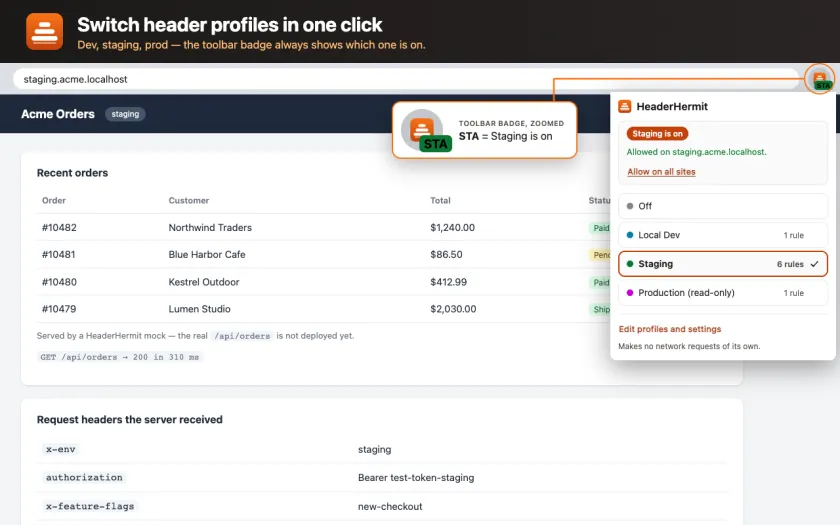
You keep one profile per environment, for example Local Dev, Staging, and Production, and switch the active one from the toolbar popup with a single click. A badge on the toolbar icon always shows which profile is on, so a header rule you left running doesn't quietly break a session later.
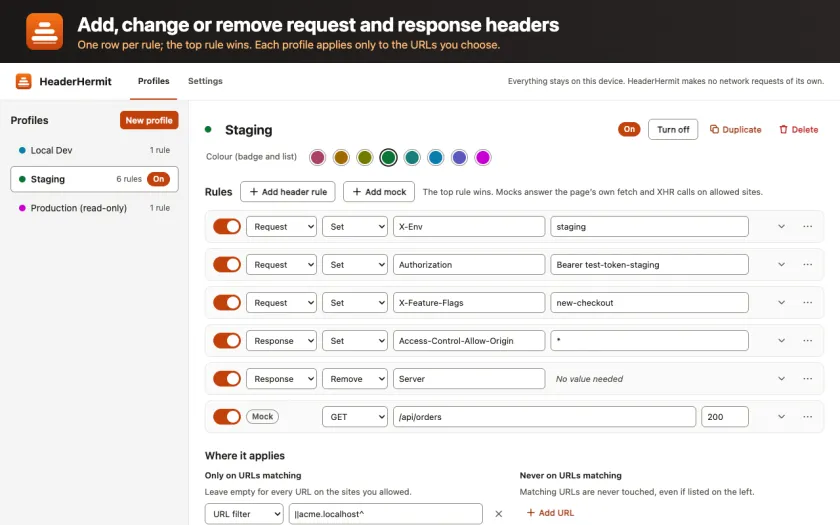
Inside a profile you can set, append, or remove request and response headers such as Authorization, Cookie, CORS headers, or Content-Security-Policy. Each rule can be scoped by URL filter or regex, excluded URLs, resource type, method, request domain, or initiator domain. When more than one rule could match, the one nearer the top of the list wins. New profiles can also start from a one-click preset, such as Allow CORS, a Bearer token, Disable cache, a custom User-Agent, or a JSON API mock. From there, the preset can be edited freely.
Screenshots
Features
- Profiles you switch in one clickSave a header setup per environment and flip between them from the toolbar popup, with a badge showing which one is running.
- Full control over headersSet, append, or remove any request or response header, scoped by URL pattern, resource type, method, or domain. The top matching rule in your list wins.
- One-click starter presetsBegin a profile from Allow CORS, a Bearer token header, Disable cache, a custom User-Agent, or a JSON API mock, then adjust it freely.
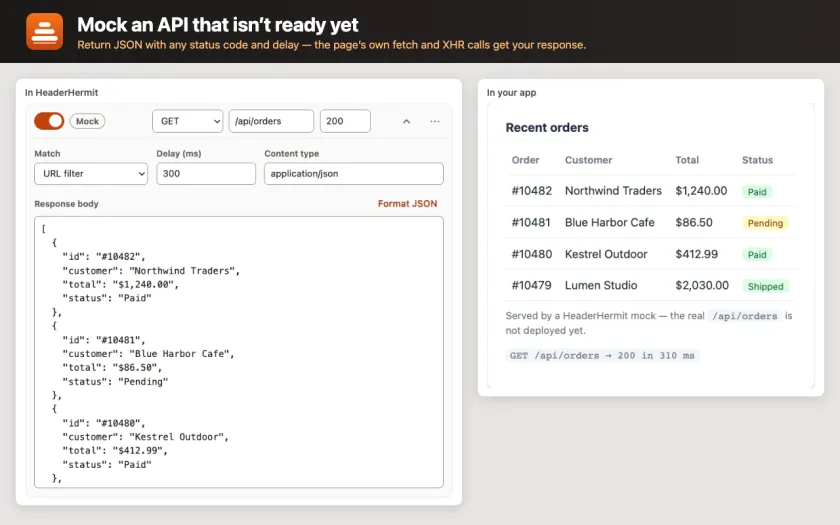
- Mock a JSON APIPick a URL pattern and respond to it with a JSON body, a status code, and an artificial delay you set. The frontend can then be built before the backend exists.
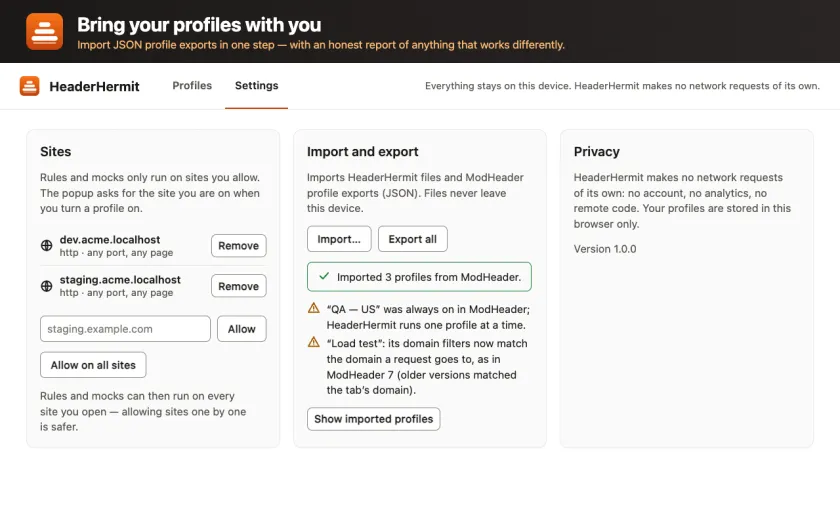
- Import your ModHeader profilesBring in a ModHeader export and get a plain-language report of what changed. HeaderHermit is independent and not affiliated with ModHeader.
- Export and import your own profilesSave all your profiles to a JSON file and load them back on another machine or after a reinstall.
How it works
Header rules run entirely inside Chrome, through its built-in declarativeNetRequest engine. HeaderHermit compiles your profile into dynamic modifyHeaders rules and hands them to Chrome.
Mocking works differently, because declarativeNetRequest can block or redirect a request but cannot rewrite what comes back. For mocks, HeaderHermit runs a small script in the page itself that intercepts fetch() and XMLHttpRequest calls and hands back the body, status, and delay you configured. The compiler also lower-cases every header name, so "Content-Type" and "content-type" behave the same way.
Honest limits
- Mocking cannot catch a request made before the page's first script runs, a synchronous XMLHttpRequest call, or a service worker or web worker request. It also cannot catch an image, script, stylesheet, or iframe load, a sendBeacon call, or a WebSocket.
- A tab already open before you turn mocks on needs a manual reload to pick up the mock.
- Mocked responses never show up in Chrome DevTools' Network panel, because they never reach the network.
Privacy
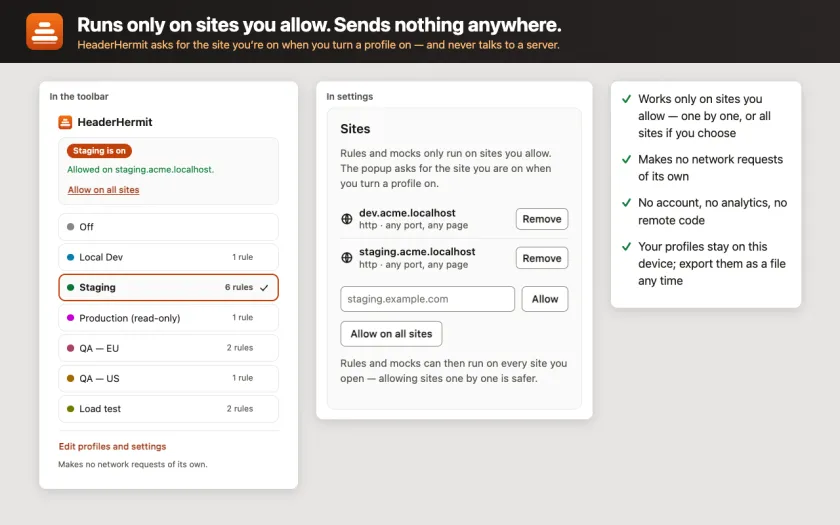
HeaderHermit makes no outbound network requests of its own. There is no analytics, no remote configuration, no account, and no telemetry. Its Content-Security-Policy blocks every outbound connection at the manifest level and only allows scripts and styles packaged inside the extension.
On the Chrome Web Store's privacy practices tab, the listing certifies that HeaderHermit collects none of personal, health, financial, authentication, communications, location, web history, or user activity data. Your profiles and header rules are saved only on your own device, using Chrome's local storage; nothing is synced or sent anywhere else.
Read the full HeaderHermit privacy policy
Questions
Is HeaderHermit affiliated with ModHeader?
No. HeaderHermit is an independent project. It can read a ModHeader export file to help you move your profiles over, but the two extensions are not connected.
Does HeaderHermit load any remote or minified code?
No. Every script ships inside the extension package in readable form, and the extension's Content-Security-Policy only allows code and styles that are packaged with it.
Which sites can HeaderHermit see?
Only the ones you allow, one at a time or all at once with "Allow on all sites." You can remove that access anytime.
Why don't my mocked API calls show up in DevTools?
Because they never go out over the network. The mock script answers the call inside the page itself, so there is no network request for the Network panel to record.
Chrome Web Store is a trademark of Google LLC.